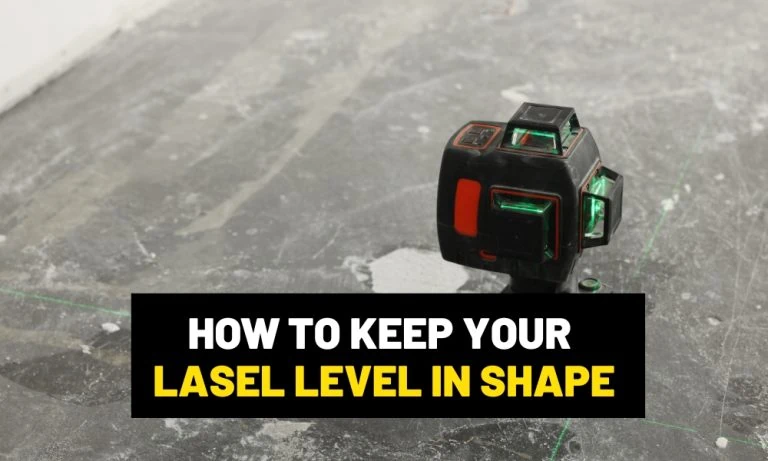
- No idea how to maintain a laser level?
- 1. Calibrate your laser level regularly.
- 2. Watch the temperature.
- 3. Do not open or disassemble your laser level.
- 4. Use a tripod.
- 5. Store your tool properly.
- 6. Clean your laser level regularly.
- 7. Keep the pendulum locked.
- 8. Take care of the battery.
- Final Words
Last updated on March 23, 2026 8:56 am
No idea how to maintain a laser level?
Aaron Barnett of BangingToolbox suggests: If there’s any reason we want to maintain our laser levels, it is to ensure that it is measuring accurately.
Building projects mess up when laser levels are not in good condition and project inaccurate lines, and result in misalignments.
We are not only talking about errors in measurements. We also speak of safety hazards, wasted resources, cost overruns, and tarnished reputations.
For professionals shooting for productivity and performance! Both heavily rely on working laser levels. We must maintain healthy working habits and careful tool handling.
Laser levels are extremely fragile and sensitive tools on the inside. Aside from being prone to misaligning from shocks and impacts, they pose hazards for workers and even on-site.
But do you know how to maintain and care for your laser level? This article will help you maintain and prolong the stable years of your laser levels service life.

1. Calibrate your laser level regularly.
It is good practice to always test your laser level for accuracy before working, especially if you are bringing your tool from a rough road.
Although you know you have locked the tool, make it a habit to check if it needs calibration.
Some laser levels can be calibrated with a few pushes of buttons. If your device has been acting up, bring the device to your local dealer for professional calibration.

2. Watch the temperature.
Too much heat or coldness can affect your laser level’s condition. Extreme heat can melt or warp your tool’s plastic components.
When these components expand or contract, they may shift your level’s calibration.
On the other hand, extremely cold conditions may cause condensation in the internal components and this could damage the circuit and electric boards.

3. Do not open or disassemble your laser level.
We discourage manually calibrating your laser level. Only professionals must perform repairs.
Remember that exposure to laser beams poses safety risks. Aside from the hazard, you can damage the tool and void your warranty completely.

4. Use a tripod.
Most manufacturers designed laser levels to be accurate and stable when in use.
However, external factors can affect performance. Factors from vibrations to device movement & adjustment to changes in temperature can have an impact, and the laser levels stability would be challenged.
Added this device is prone to dropping and bumping if left on the ground on a busy job site, so you need a stable mounting platform to secure the device.
For this reason, make sure your laser level has a mounting buddy on-site.
Do not place your laser level on a vibrating surface or on a moving machine to keep the pendulum free from damage or distortion.

5. Store your tool properly.
You need to remove the battery when storing your laser level.
Place the cell in a temperature-regulated room. Make sure the room is cool and dry.
The protective case must also be dry.
Moisture is one of the culprits of why many PCB boards can get damaged.
Secure the storage box in a stable place where the tool will not be moved or bumped.
If you do not have a carrying case, you can place it in a tool backpack along with other tools. Make sure to lock the pendulum in any case.

6. Clean your laser level regularly.
Construction sites can often get your tool dusty.
Although your tool is sealed, the glass housing may accumulate dust and affect the transmission and projection of the laser beams.
When your tool accumulates dirt, clean the surfaces with a damp cloth and ensure the tool is kept dry afterward.
Do not use strong solvents, detergents, chemicals, and abrasive instruments.
Make a habit of cleaning regularly to prevent dirt from getting too thick. Thick dirt is harder to remove.

7. Keep the pendulum locked.
Most laser levels have a self-leveling feature that employs a pendulum. The pendulum is a sensitive component responsible for aligning the laser beam level and plumb.
However, this component can easily get affected by movement, vibrations, and impacts.
Good thing most manufacturers designed the tool to have pendulum locks.
Use the lock to protect this essential component of your laser level. Make it a habit after use to always activate the lock, especially when moving or transporting the tool.

8. Take care of the battery.
Avoid overcharging and undercharging.
If the battery overheats while charging, unplug the charger and let the batteries cool down for about 20 to 30 minutes before plugging them back.
Dispose of non-rechargeable batteries as soon as possible inside an appropriate bin for battery disposal.
Do not let the batteries stay in the laser level compartment when unused for over three months.

Final Words
Now that you know how to help maintain your laser level, it’s time to check it for accuracy and ensure it is well-calibrated.
For a tool that requires accuracy and precision, you must ensure that the tool’s internal components are in good shape.
Check for any signs of damage.
With a little maintenance, care, and effort, you may be able to work with the same reliable laser level for many years ahead.
We listed them here if you’re still looking for sturdy and accurate laser levels for building.