- Want to mount your TV on the wall with extra function?
- Best tv wall mount [42-70 inches]
- Longest arm TV wall mount [32-65 inch]
- Do you need an extendable wall mount?
- How we tested considered and compared
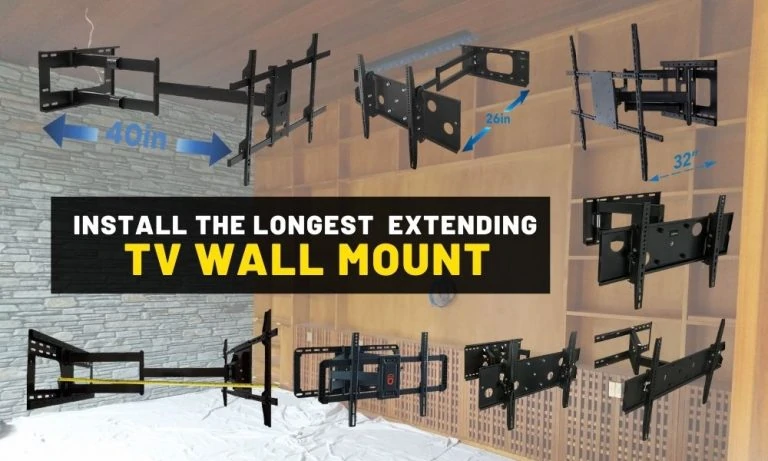
- What is the longest tv wall mount?
- Best places for your tv is on the wall?
- How to install a swing arm tv bracket
- Comparing the longest TV mounts
- Your longest, sturdiest articulating TV wall mount
- Mount-It! MI-372

Last updated on March 18, 2026 9:03 am
Want to mount your TV on the wall with extra function?
According to Aaron Barnett of BangingToolbox: Installing an extendable full-motion TV mount as a DIY project is an easy way to help de-clutter, save space, and add functionality to your office, tiny house, or living area.
Below is a comparison of the best full-motion TV brackets to help you get the longest one for your entertainment system.
Here is a video on how I use an extendable TV wall mount to save space and declutter a small space.
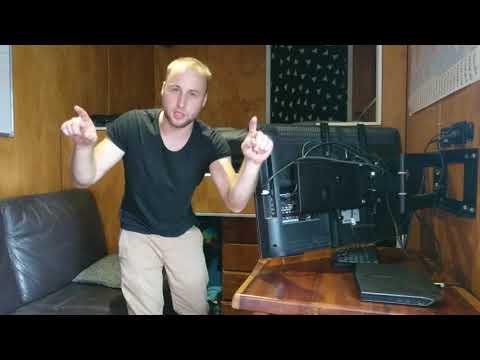
Best tv wall mount [42-70 inches]
#1 Editors choice: Finest value
Best TV wall mount for full motion

- Good choice for large and heavy TVs for maximum reach, flexibility, and stability.
- Extends up to 39.8 inches! and can handle a weight capacity of 110 lbs.
- Good range of adjustments to reduce screen glare and find the best angle.
- Best for TVs from 42” to 80”.
- It can be heavy to install.
#2 The strongest for architectural use
Best TV wall mount for high end use

- Good stability for larger TVs without any sagging.
- Good load capacity with dual articulating arms to take a weight capacity of 150 lbs.
- Pretty good reach of 32”.
- Takes TVs from 42” to 80 inches.
- The frame can block the input ports of some TVs.
#3 DIY TV bracket
Echogear articulating bracket for 42″-80″

- Provides up to 130º of swivel.
- Supports TVs up to 80” and 125 lbs.
- Double arm.
- Pretty heavy and may require assistance for installation.
- A bit hard to adjust.
- Only 22-inch extension.
#4 Another TV corner wall mount
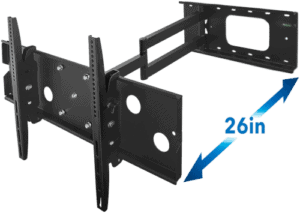
Mount-It! with 26-inch extension

- Its flexible capabilities are suitable only for corner installation.
- Supports up to 220 lbs on the slightly shorter tilt mount.
- The screws are a bit flimsy.
- Supports TV sizes from 42 inches to 70″.
- Some screws need tightening.
- Sags a bit with heavy TVs.
#5 Heavy-duty extendable TV mount
Forging Mount HY9389-B 37 to 75-inch extending TV wall mount
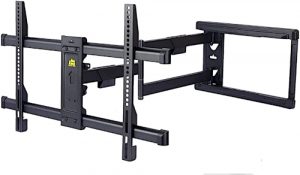
- Long extension up to 30 inches.
- Made from robust, heavy-duty carbon steel.
- Corner wall-mounting design.
- Swivels 90° left and right.
- The base plate may be shorter than 16 inches.
#6 Multi-angle extendable bracket
Mount Factory Pro-X6 extending mount for 42 to 70-inch TVs
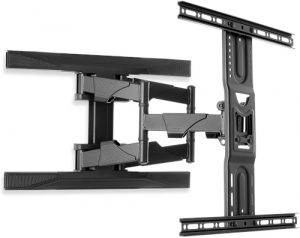
- Holds TVs up to 100 lbs.
- Multiple-angle TV placement.
- Rotates 160° left and right.
- User manual instructions can be improved.
- Confusing hidden locking screw designs for tilting and rotating.
Longest arm TV wall mount [32-65 inch]
#1 Editors choice: For extension
Strongest and Longest TV wall mount.
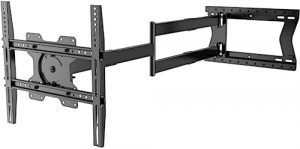
- Extra-long arm extension reaches out to 47 inches.
- Features 3 pivot points for more flexible movement.
- Provided with clear and easy wall mount instructions, plus more tips.
- The bracket rotates 90° left and right.
- Maximum screw hole distance up to 16.93 inches.
- A bit pricey.
- Bolt and screw set can be confusing.
#2 Finest value extending TV wall mount
Great value and strong for TVs 32-65 inches

- Direct your TV exactly where you want it! In your entertainment center.
- Easy to install while supporting wider wall studs (16” to 24”).
- The TV can be rotated 95° in either direction.
- Stretches out to 36” and takes a load of 120 lbs.
- More expensive than mounts with less extension.
#3 Best for OLED TVs
Vogel’s Thin 546 Slim long extendable TV bracket
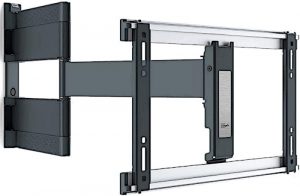
- The ultra-slim profile sits only 1.4 inches from the wall.
- Designed for OLED TVs.
- Seamless cable management.
- With a free VESA bracket available upon request.
- Pricey.
- Non-tilting.
#4 Strongest single stud
Aeon 40112 32 to 65 inches single stud extending bracket
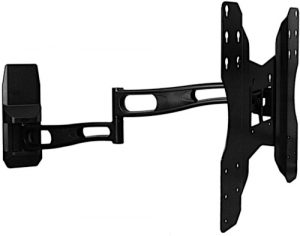
- Long extension up to 29 inches.
- Single stud installation.
- Sturdy and solid die-cast arms.
- Potential instability.
#5 Full range extension
MountPlus MP-L28-600 77 lbs capacity, TV bracket
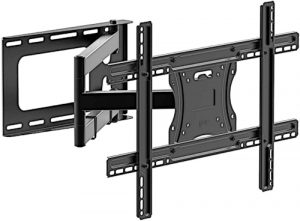
- 29 inches long arm extension.
- Full range motion with three pivot joints.
- Reliable heavy-duty carbon steel.
- Fixings can be improved.
#6 Strongest Mount-It!
Mount-It MI-310B heavy-duty bracket

- Double arm for extra stability.
- The continuous tilt mount feature ensures a better viewing angle and reduces glare.
- Takes TVs from 32” to 60 inches.
- A large open wall plate provides easy access to cables.
- Extends out 20.25 inches.
- Takes weight up to 175 lbs.
- Nuts require loosening and greasing for free movement.
#7 Cost friendly flexible TV bracket
Mount-It! MI-2171L

- Has a pretty good load capacity of 165 lbs on this tilting mount.
- Easier to extend in and out than a double arm with less friction.
- Built-in level.
- Takes TV from 32 inches to 65″.
- Extends out 26.25 Inches from the wall.
- Single-arm TV can slightly tilt with weight at full extension.
- Less weight capacity than the MI-310B.
#8 Another wall TV bracket
Mount-It! bracket black (MI-346L)

- Includes all installation hardware.
- Provides a wide range of viewing angles.
- Can be used for corner installations.
- From 32” to 65” sized TVs.
- Supports only up to 110 lbs.
- Extends to 17.3” only.
- Single-arm can tilt out of level with weight.
Do you need an extendable wall mount?
Installing a TV mount is a great way to get a lot more functionality and versatility from your TV screens.
Moreover, it could save you a lot of space by making use of an oftentimes underutilized area of your interior: your wall.
Most people place their TVs on a table or a stand, and this usually works out pretty well if there is sufficient space.
But if you live in a tiny apartment–or if you already have a lot of furniture taking up floor space–having your TV up on the wall is usually a better option.

Why get an extending TV wall bracket?
Even if you have sufficient space to set your TV up on a table or a counter, there are other good reasons to consider installing a TV mount instead.
Do yourself a favor and make it easier to see your TV screen from more areas in the room from a single TV position.
In addition, TV mounts allow you to extend your TV over a table or a desktop, which gives you a better view when playing video games. It helps to reduce neck fatigue when watching TV for long periods.
You can even use your TV as part of a dual monitor setup for your computer, giving you the advantage of a much bigger viewing area with multiple mounted screens.

Other TV mounting options
It would be best to get a wall mount with an extendable arm that you can pull out from the wall.
These designs usually cost a little more than fixed wall mounts, but the added functionality makes them well worth the extra cost.
Look into cantilever mounts as well, which are much more efficient than other designs. These have extendable arms that let you pull the TV horizontally away from the wall, and they give you a wider range of positioning options.
They allow you to tilt, swivel, and rotate your TV, and even let you position them around corners.
Another option is to instead consider a ceiling TV mount.
These mounts hang your TV from the ceiling and are another way to save space.
You could opt for a motorized flip-down TV mount, but this option doesn’t have the same maneuverability.
How we tested considered and compared
1. Double vs. Single-arm
Wall mounts typically come with one or two arms, which connect the TV to the wall plate.
Two arms will carry more weight than a single arm. They can carry as much as 200 pounds in fact.
But there are good reasons to go for a single-arm design if it can handle the weight of your TV.
Single-arm wall mounts give the best flexibility and can usually pan a full 180°, as opposed to double-arms, which are usually limited to 160°.
2. The wall mounting bracket size.
The size of the brackets is especially important if you need to mount your TV onto drywall.
With such surfaces, you will need to install the wall mount on one or two studs.
Additionally, you will need to screw the wall plate into the center of the studs, so you will need to make sure that the bracket will cover the necessary span.
3. VESA pattern compatibility?
Most brands of TVs nowadays adhere to the VESA pattern Interface Standard, which defines the horizontal and vertical distance between the four mounting holes on the rear of the set.
VESA-compatible wall mounts will accommodate TVs with mounting holes spaced 200 mm by 200 mm, 400 mm by 400 mm, and 600 mm by 400 mm apart.
4. Your TV size compatibility.
Get a wall mount that can accommodate TVs bigger than your current model.
Most big wall mounts will accommodate smaller TVs with no issues, but the opposite isn’t always true.
Wall mounts are usually rated by the screen size and weight of the TV they can accommodate.
Weight is always the most important factor to consider.
So when choosing between two wall mounts that can accommodate the same size of a TV, always choose the one that can support the weight of your TV.

4. Long extension length.
You will want to be able to extend your TV as far from the wall as possible and be able to retract it. You are better with an unobtrusive TV when possible. Getting a wall mount with a large extension range will let you get closer to your TV screen as you need to, and let you fold it back out of the way when done.
Furthermore, a long reach will enable you to turn the TV 90° to the side without having it bump up against the wall.
Can a long arm tv wall mount work in a corner?
If you want to position a TV in a wall corner, you want a single TV arm bracket where the extendable arm pivot point isn’t too close to the corner side of the wall plate.
A TV corner bracket helps make it less likely that your TV mount will be seen when positioned in the corner of the wall.
Both long-arm wall mounts below will work for corner mounting.

What is the longest tv wall mount?
#1 Finest value long TV wall mount at 40 inches
This TV mount extends even further at 38.8 Inches from your wall. It is the best option for big TVs sized from 42″ to 80 inches.
I suggest that if length and strength are your number one priorities, get this for your TV.
#2 The longest TV wall mount at 47 inches
The longest extending arm goes out all the way to 47 inches and belongs to the Physix Long 2120 TV wall mount.
It boasts three pivot points that allow multiple-angle viewing. You can extend, rotate, level, turn, swivel, and tilt to your desired viewing position.
It can take up to 77 lbs of TVs, but from tests, expect this option to handle more than the declared weight.
The space-saving design even hides TV wires discreetly. Install directly to studs, brick, or concrete, with the right anchors.
With its elegant black finish, premium build, and impressive long arm extension, everyone will surely set their eyes on your TV with this flexible TV mount.
#3 Good value, strong, long arm TV wall mount at 36 inches
This TV mount can take TV sizes between 32 inches and 65 65-Inches and is capable of extending a long reach of up to 36 inches from the wall!
Made to take Samsung, LG, and Sony TVs as well as others, it is built to a higher quality than most other mounts, as it’s made from heavy-duty steel materials.
With a huge base plate, installation is easy when looking to find studs in your wall, and with a single arm, it can be moved to face different directions with little to no resistance.
Best places for your tv is on the wall?
Any place you have a TV or LCD screen is tidier attached to the wall rather than sitting on a TV stand.
Wall mounting saves space and is tidier while giving you a better and more movable viewing angle.
Good mounting hardware helps make a home safer in an earthquake, as your electronics won’t fall down.
1. Offices
Most workplaces have very little available space, to begin with, making them perfectly suited for a TV wall bracket. Whether necessary for work or used for recreational viewing, TVs can be mounted in a corner of the room as well if the bracket extends long enough.
This can keep your monitor or LCD out of the way, yet viewable from different areas in the office.
2. Small rooms or apartments
Living areas with limited space are perfect candidates for an articulating TV wall mount. Most such places have very little floor space available, but the walls are usually underutilized.
By mounting your flat screen on a wall, you can save valuable floor space and make your bare wall look more attractive.
Like my tiny house and many others, a TV wall bracket can help save space and declutter in a tiny house design. I find a 32-inch screen perfect.

3. On the wall of your kitchen
If you like watching TV while preparing your meals, placing a TV in your kitchen with the right mounting hardware is a no-brainer. Of course, you probably don’t have a lot of space on your kitchen counter, and a small portable TV simply won’t do.
Installing a wall mount will let you enjoy your favorite cooking shows while leaving your counter space free for kitchen essentials.
4. Boats and RVs
Having a TV on the road or in the wilderness is essential if you have children along for the trip.
With an articulating TV wall mount, you can enjoy your favorite movies without taking up any more of the already-cramped space.
How to install a swing arm tv bracket
Installing a TV bracket is a fairly simple task, but there are some important things to keep in mind. Choosing the right wall mount for easy cable access and tilt angle, while knowing how to install it properly, will give you the best possible experience and viewing angles in the end.
More importantly, this will keep your expensive TV from crashing down onto the floor in the event of a knock or an earthquake! For a full guide on TV safety, read how to mount a TV on the wall.
Tools you need for installing a TV bracket:
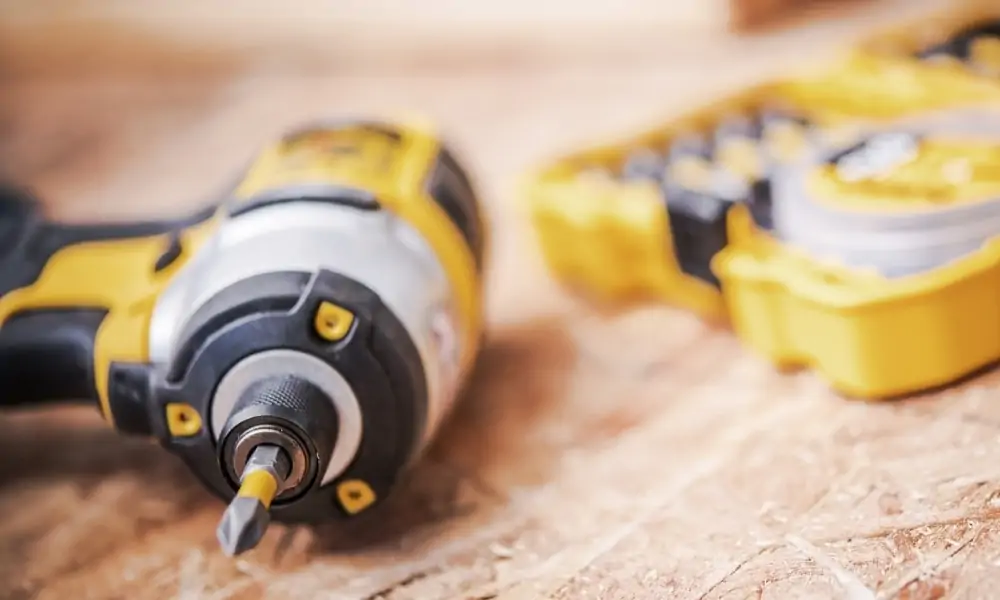
- A Cordless drill.
- A hand level or a self-leveling laser level.
- Stud finder.
- Mounting hardware.
- Wrench.
- Tape measure.
Installing on drywall?
Many TV brackets actually come with a level built into the mounting hardware itself.
But you cannot rely on a built-in level to be accurate, we recommend that it is better to use your own laser level or your favorite torpedo level in your toolkit.
If you need to install your TV mount in drywall, you will need an advanced stud finder that can locate the studs’ center.
Installing on concrete?
Installing a wall mount on concrete is a bit more challenging. You won’t need to look for wall studs, but you do need to make sure that the wall plate is mounted securely in the concrete in your chosen location.
For this, you will need to use a masonry bit with your drill. And provided plastic plugs to hold the screws into the concrete.
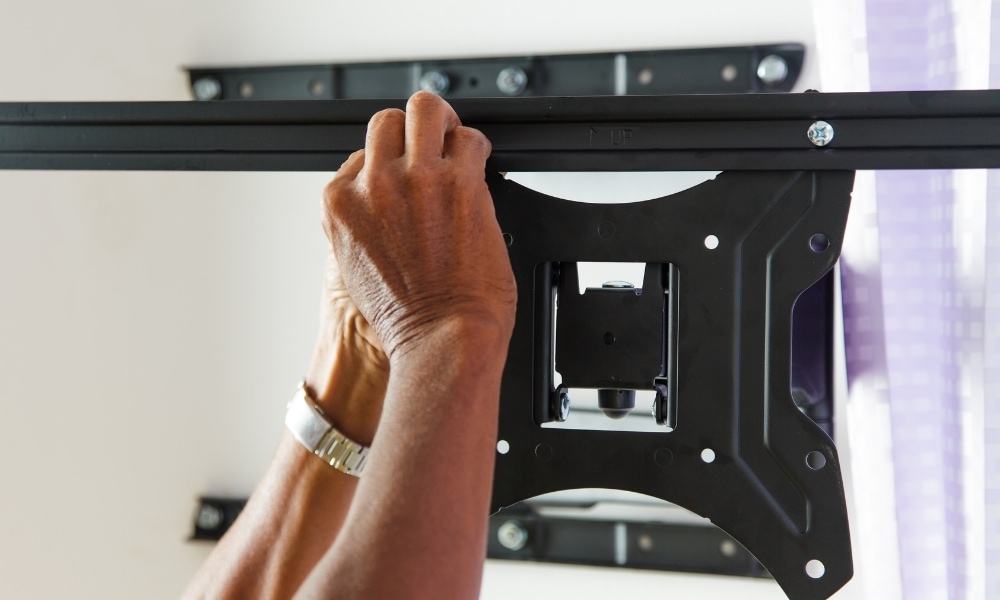

Installation tips
- First, you want to attach the TV bracket to the wall without the TV connected. Measure the spot where the mount will go. Keep in mind that the brackets will fit onto the wall plate, so they will determine where the mount should go. Measuring the distance from the top of your TV to the edge of the brackets will tell you where the mount needs to go
- Using your level, mark the appropriate spot on the wall. Position the wall plate straight and then screw it together.
- Attach the second bracket directly to the TV’s rear panel. Most flat-panel TVs will have four holes on each corner for this purpose.
- Now that you have the bracket on the wall and the second TV plate is connected, you simply lift the TV and the TV plate on top of the wall bracket to hook and lock in place. Depending on how heavy your TV is, you might need assistance at this point. Doing a 32-inch TV by yourself is easy.
Installing wall mounts for specific types of walls:
For most mounting jobs in the house, like hanging a heavy frame or wood art, attaching your wall mount directly onto drywall isn’t a great idea.
If you don’t have any other wall space available, you need to attach the mount to one stud at the very least. I recommend two studs to avoid sag or twisting.
For this, you will need a stud finder that enables you to locate the stud’s center.
Comparing the longest TV mounts
32 to 65 inches
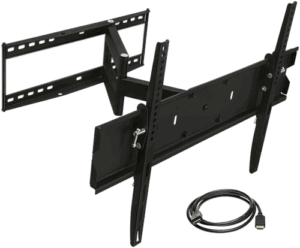
Physix 2120 | Solid mounts | Vogel's Thin 546 | Aeon 40112 | MountPlus MP-L28-600 | Mount-It MI-310B | Mount-It! MI-2171L | Mount-It! | |
|---|---|---|---|---|---|---|---|---|
|  | | | |  |  |  | |
| Verdict: | #1 Longest | Finest value | Strongest Mount-It! | |||||
| TV size: | 32 to 75 inches | 32 to 75 inches | 40 to 65 inches | 32 to 65 inches | 32 to 70 inches | 32 to 60 inches | 32 to 65 inches | 32 to 65 inches |
| Weight capacity: | 77 lbs | 110. lbs | 66 lbs | 70 lbs | 77 lbs | 175 lbs | 165 lbs | 110. lbs |
| Extends up to: | 47 inches | 36 inches | 25 inches | 29 inches | 29 inches | 20.25 inches | 26.75 inches | 17.3 inches |
| Wall profile: | 4.5 inches | 4.25 inches | 1.4 inches | 2.8 inches | 2.2 inches | 4.5 inches | 4.5 inches | 2.8 inches |
| VESA: | Up to 400 x 400 mm | 200 x 200 mm to 600 x 400 mm | 100 x 100 mm to 400 x 400 mm | 100 x 100 mm to 400 x 400 mm | 100 x 100 mm to 600 x 400 mm | 100 x 100 mm to 750 x 450 mm | 100 x 100 mm to 600 x 400 mm | 75 x 75 mm to 600 x 400 mm |
42 to 80 inches
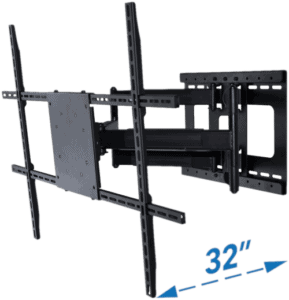
Mount-It! Long Arm TV Mount | Aeon Stands and mounts | ECHOGEAR Full Motion | Mount-It! MI-319L | Forging Mount HY9389-B | Mount Factory Pro-X6 | |
|---|---|---|---|---|---|---|
 |  |  |  | | | |
| Verdict: | #1 For longest reach | Best for heavy TVs | ||||
| TV size: | 42 to 80 inches | 37 to 80 inches | 42 to 90 inches | 40 to 70 inches | 37 to 75 inches | 42 to 70 inches |
| Weight capacity: | 110 lbs | 150 lbs | 125 lbs | 220 lbs | 100 lbs | 100 lbs |
| Extends up to: | 40 inches | 32 inches | 22 inches | 25.75 inches | 30 inches | 20 inches |
| Wall profile: | 3 inches | 3.1 inches | 2.4 inches | 2.25 inches | 2.8 inches | 3 inches |
| VESA: | 200 x 200 mm to 800 x400 mm | 200 x 200 mm to 800 x 600 mm | 200 x 100 mm to 600 x 400 mm | 100 x 100 mm to 850 x 450 mm | 200 x 100 mm to 600 x 400 mm | 200 x 200 mm to 400 x 600 mm |
Your longest, sturdiest articulating TV wall mount
After installing a swing arm TV mount, you will wonder why you didn’t install one sooner, as TV mounts are affordable and don’t take long to set up.
You can have any TV on a wall mount, but I highly recommend a 32-inch HD TV as a computer screen.
A bigger 42-inch screen is too big to comfortably see.
The 32-inch TV screen size can make any work on a PC quicker by allowing more desktop display, to stop the need to flick back and forth on tabs.
You can instead simply have two or three windows up on the screen at once.
You can do a few things to greatly improve your time efficiency when doing any computer-related tasks, such as designing a tiny house.
Your architect friend will surely appreciate a gift like this.
And if you are after something more portable, consider instead the best mobile TV stand.

Mount-It! MI-372
Why you should install a TV with Mount-It! MI-372?
- Our recommendation is for a robust and solid installation for your flat-screen TV.
- One of the longest extending swing arms at 40 Inches! While maintaining stability.
- Great value if you buy online.
- Takes almost every size TV with a VESA pattern.
A few issues with Mount-It Mi-372
- Too big for TV, less than 32 inches.
#1 Best TV mount for wall
Frequently Asked Questions

What is VESA?
VESA is a standard mounting pattern for TV brackets and TVs so most TVs would fit most brackets.
How can I tidy up the cables in my TV wall bracket?
Most articulating TV wall mounts have built-in cable management. Additionally, you can build in-wall or on-wall raceway for excess cables out of the bracket's scope.
Can I hang my TV on the wall without drilling?
Yes. You can use mounting adhesives: screws or tapes. However, you'll need strong adhesives. Alternatively, you can use brick clamps or try mounting on the ceiling or a rolling TV stand.